Optical Jig | AI Vision Testing System

TestBot AI Vision Testing System

A GPU-accelerated visual intelligence system that trains on every screen state of an HMI, cluster, or display - then validates live frames from a calibrated camera against expected states, automatically, inside every TestBot sequence.
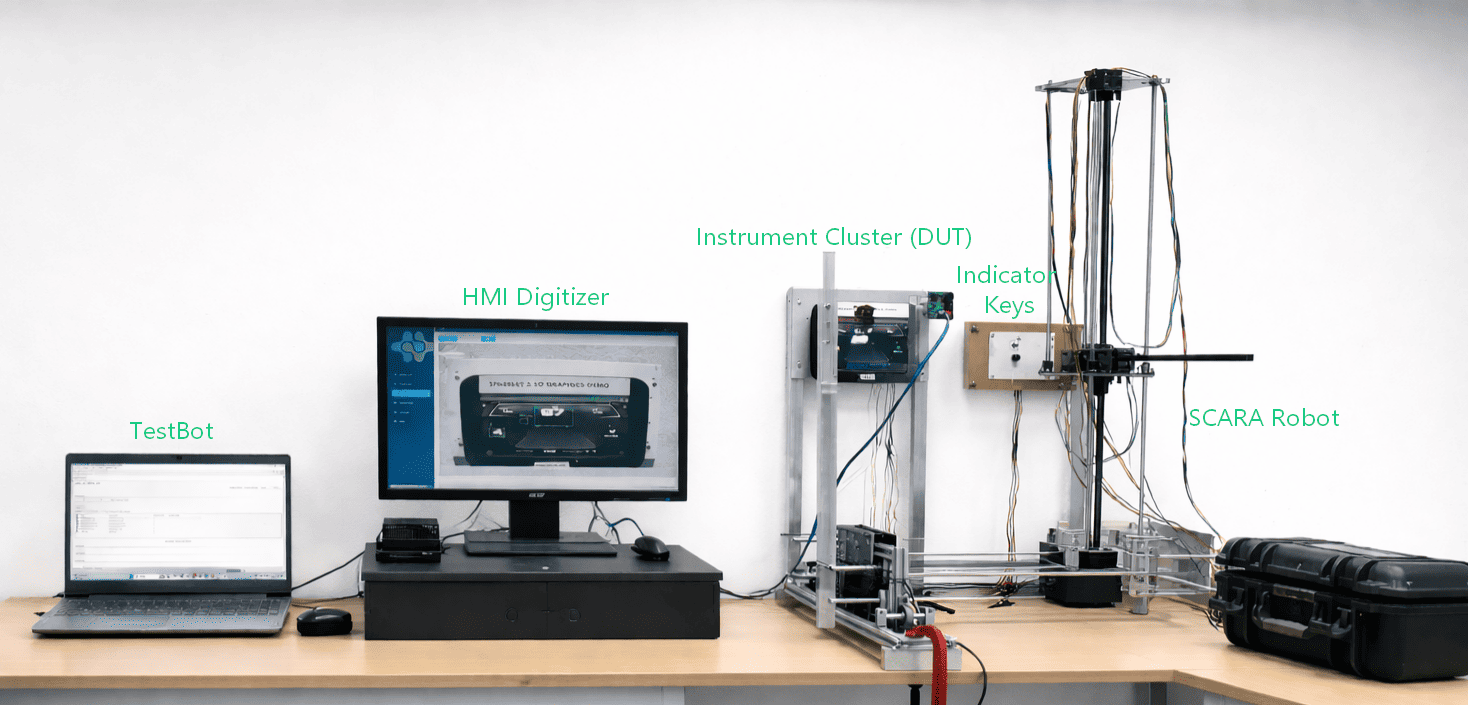
AI Vision Testing System
NVIDIA Jetson AGX
AI inference engine
Live camera stream
Image capture method
Dial · Icon · Text
Widget types validated
MQTT + JSON
TestBot interface
Why visual validation is the missing layer in embedded HMI testing

CAN and UDS Agents can verify that the right message was sent at the right time. What they cannot verify is whether the instrument cluster actually showed the correct warning icon, whether the speedometer needle reached the right angle, or whether the correct screen transitioned after a mode change. That gap - between what the ECU transmitted and what the display rendered - is where field escapes and recall campaigns originate.

Traditional approaches to closing this gap require either manual visual inspection or pixel-level screenshot comparison. The TestBot AI Vision Testing System closes the gap differently: it learns every legitimate screen state and element state from trained reference images, then makes confident predictions from a live camera feed.

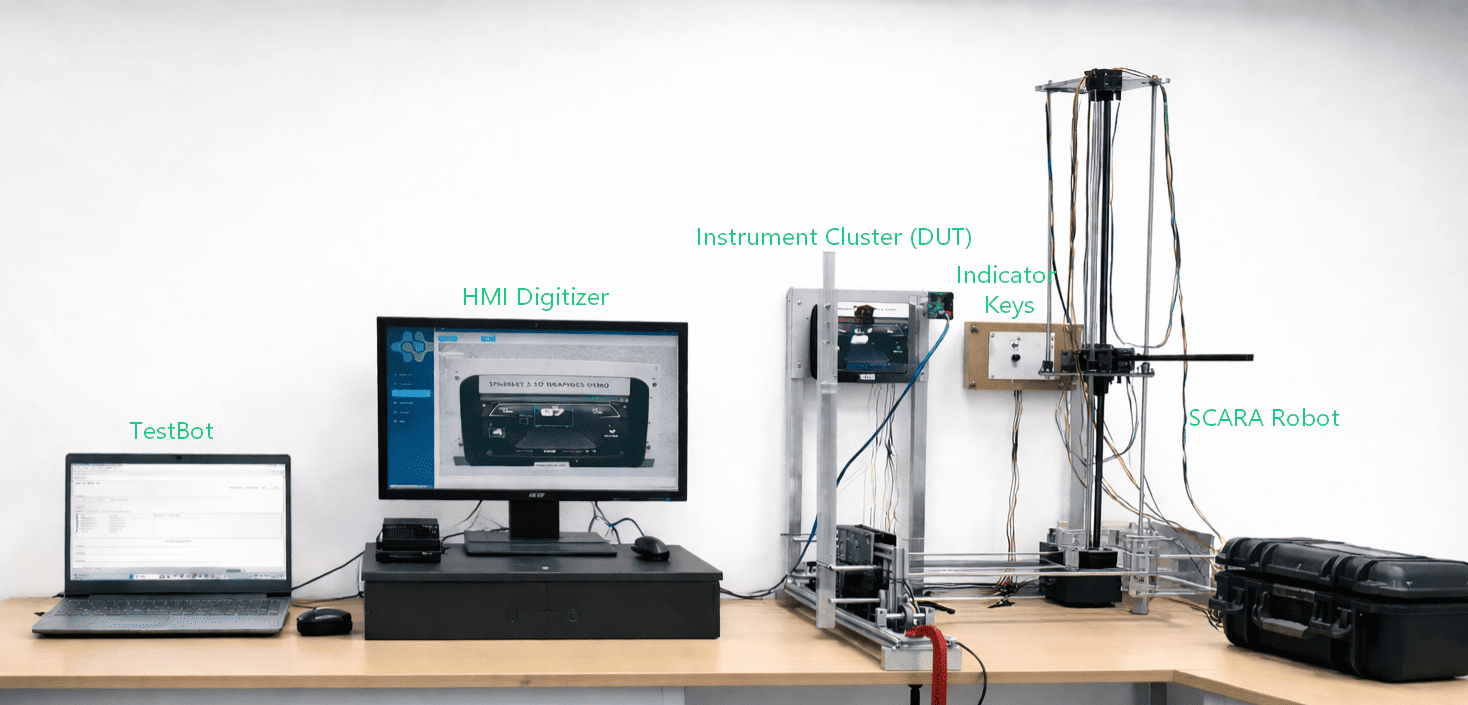
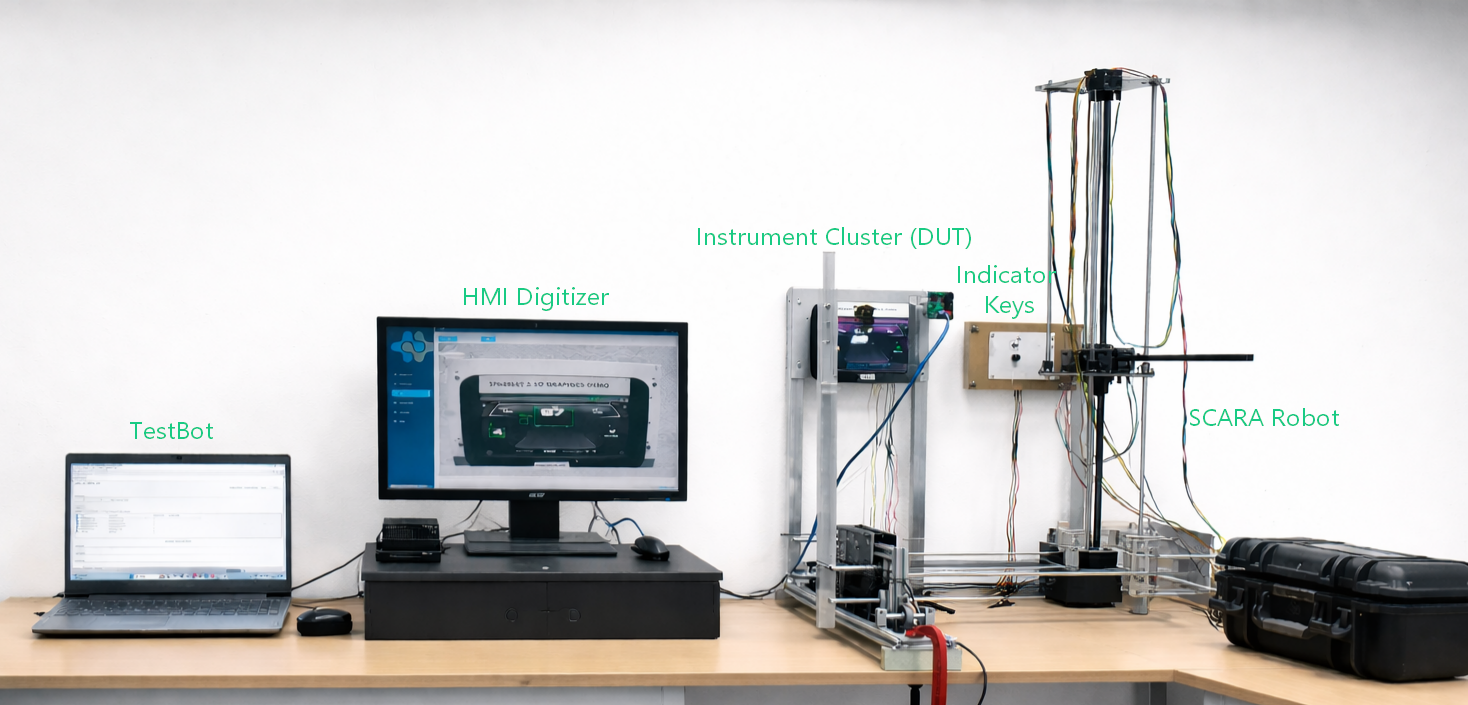
AI Vision Testing System hardware
Direct Answer

What the TestBot AI Vision Testing System is

The system is a two-component hardware and software platform. The AI Vision Processor - a web application running on an NVIDIA Jetson AGX board - hosts the trained AI models, performs GPU-accelerated inference on live camera frames, and communicates results to TestBot over MQTT. The Vision Camera is a calibrated camera unit mounted to view the HMI, cluster, or display under test and streams frames continuously to the processor.

Together they give TestBot a real-time visual sense: at any point in a test sequence, TestBot can ask what screen is currently displayed and what the state of each element on it is - and receive a structured JSON answer within milliseconds.

Training on screen states

Capture and label every legitimate screen and widget state during setup so the trained model knows the full visual vocabulary of the device under test.

Live camera capture

The Vision Camera observes the display externally and continuously streams frames to the Jetson processor without display output taps or firmware hooks.

GPU inference on Jetson

Each frame is classified on the Jetson GPU, then reduced to a screen name and a per-element state map for TestBot.

MQTT + JSON reporting

The Jetson processor publishes classified results to TestBot in JSON, allowing visual checks to run inside the same sequence as CAN, UDS, DRB, and IO steps.

How the AI Vision Testing System works

The system does not do pixel comparison. It classifies screens and element states using AI models trained on all the states you define during the training phase. This means it tolerates display brightness variation, minor rendering differences, and real-world camera conditions - producing the same confident classification an engineer would make by looking at the screen.

Book a Demo

Phase 1 - Training

Capture and label every screen state and widget state, then train the AI model on the Jetson processor. Retrain incrementally when firmware updates add or change states.

Phase 2 - Capture

The calibrated Vision Camera streams live frames from the HMI or cluster display exactly as a human tester would observe it.

Phase 3 - Inference

Jetson classifies the active screen and every trained widget state - including dial position, icon presence, and text values - into structured JSON.

Phase 4 - Report

TestBot compares the actual visual state to the expected value and writes the result into the same HTML, PDF, or Excel report as the rest of the bench sequence.

Phase 5 - Validate

Visual checks can verify screen transitions, fault indicators, and widget state changes in the same sequence as CAN and DRB events.

Technical Specifications

Specification

Full electrical, interface, and operating characteristics for bench integration.

SpecificationValue
AI inference hardwareNVIDIA Jetson AGX, GPU-accelerated
Software environmentPython-based web application on Jetson OS
Inference modeLive camera stream, continuous frame processing
Widget types validatedDial, image/icon, text
TestBot interface protocolMQTT (receive test context; publish results)
TestBot result formatJSON - screen name + per-element state map
CAN interfaceDB-9 connector, up to 5 Mbps
CAN database supportDBC file import
CAN repetition rateConfigurable per signal
Example CAN IDsFuel gauge: 0x2BD; Telltale: 0x2BC (configurable)
Training workflowCapture → label → train via Jetson web application
RetrainingIncremental - add new screens or states without full retrain
EnclosureIP40 rated ABS plastic (camera unit)
Operating environmentBench use, 0°C to +50°C
Roadmap: Touch input validation (capacitive tap verification), video recording of test runs embedded in reports, and multi-display support for dual-cluster setups.
Use Cases

What the AI Vision Testing System validates

The AI Vision system recognises and validates three widget types on any trained screen, while also tracking screen identities and transitions.

Dial widgets

Speedometers, tachometers, fuel gauges, and temperature gauges are classified by needle position or fill state against trained angular ranges.

  • Speedometers
  • Tachometers
  • Fuel gauges
  • Temperature gauges

Icon and image widgets

Warning lights, indicator icons, status images, and symbol overlays are identified by visibility and colour state.

  • Warning lights
  • Indicator icons
  • Status images
  • Symbol overlays

Text widgets

Odometer values, trip counters, mode labels, and status strings are extracted as text for exact or pattern-match comparison.

  • Odometer values
  • Trip counters
  • Mode labels
  • Status strings

Screen identification

Before widget evaluation, the system identifies the active screen so checks run in the correct visual context.

  • Home screen
  • Navigation
  • Fault screen
  • Sleep state
Integration

How the AI Vision Testing System fits inside a TestBot automated test sequence

Steps

1

Train Capture and label all screen and element states in the Jetson web application, then run the training pipeline to build the AI models.

2

Mount and connect Position the camera, connect CAN and MQTT, and add the AI Vision Agent to the TestBot station configuration.

3

Define Add visual check steps to the TestBot sequence alongside CAN, UDS, DRB, and IO steps.

4

Execute and report Run the sequence; visual results appear in the report with full timestamps and no separate manual review step.

Book a Demo
Comparison

AI Vision Testing System vs other visual validation approaches

The system is designed for production-grade bench automation - trained on real device states, robust to display variation, and natively integrated with TestBot.

CapabilityTestBot AI Vision SystemManual visual checkPixel / screenshot comparisonOCR-only tools
TestBot integrationNative MQTT + JSONNoCustom scriptCustom script
Dial / gauge validationAI-classifiedManualBrittleNo
Icon / warning validationAI-classifiedManualBrittleNo
Text / value extractionAI + OCRManualNoYes
Screen identificationTrained classifierManualFragileNo
Tolerates rendering variationYesYesNoPartial
Repeatable and unattendedYesNoPartiallyPartially
Report evidenceIn TestBot reportManual notesSeparate logSeparate log
Retraining on firmware changeIncrementalJust lookFull recapturePartial

Pricing

The AI Vision Testing System is available as a hardware bundle. The AI Vision Agent licence is renewed annually per station. Contact us for a quote based on the number of display variants to be trained and the number of test stations.

Frequently Asked Questions

Answers to the questions teams usually ask before adding visual validation to a TestBot sequence.

AI Vision Testing System

It is a two-part system - an NVIDIA Jetson AGX AI processor running a trained image classification application, and a calibrated Vision Camera - that gives TestBot the ability to read and validate what is visually displayed on an HMI, instrument cluster, or any display under test, without human observation.

Ready to add machine vision to your bench?

Use the AI Vision Testing System to validate what the display actually shows - not just what the ECU sent - inside the same TestBot sequence.