BLE Central vs BLE Peripheral: Do You Need Both Agents for Your IoT Device?
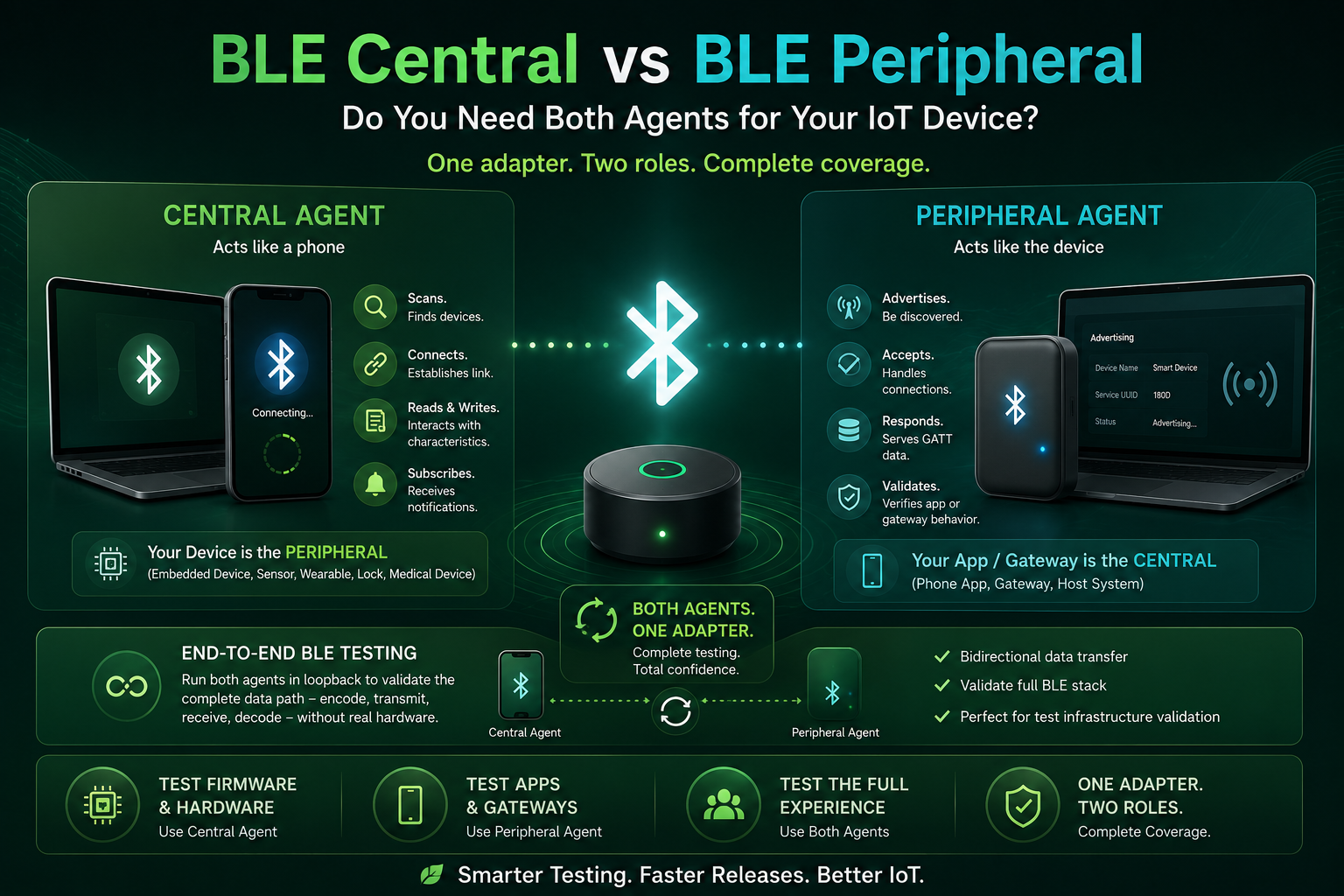
When engineers start evaluating TestBot for BLE testing, the most common question is: do I need the BLE Central Agent, the BLE Peripheral Agent, or both? The answer depends on what your device is and what you are trying to validate. Getting this wrong means testing half the picture.
The Fundamental BLE Asymmetry
BLE communication is asymmetric by design. One device initiates the connection (the Central), and the other accepts it (the Peripheral). In most IoT products:
- Your embedded device (sensor, wearable, smart lock, medical device) is the BLE Peripheral - it advertises and waits for connections.
- The phone app or gateway is the BLE Central - it scans, connects, reads and writes characteristics.
Testing the embedded device means simulating what the phone does. Testing the phone app means simulating what the device does. These are opposite roles, and they require different agents.
When You Need BLE Central Agent Only
Use BLE Central Agent when your device under test is the Peripheral - it advertises, accepts connections, and exposes GATT characteristics. The Central Agent connects to your device exactly as a phone app would: it scans for the advertising name or UUID, connects, discovers services, reads characteristics, writes commands, and subscribes to notifications.
Typical test cases with BLE Central Agent:
- Scan and verify advertising data (UUID, device name, manufacturer data, RSSI)
- Connect and verify all expected GATT services and characteristics are present
- Read each characteristic and assert value is within expected range
- Write a command characteristic and verify the device responds correctly
- Subscribe to a notification characteristic and verify data arrives at the correct rate
- Disconnect and verify the device resumes advertising within the specified timeout
This covers the embedded device's BLE implementation entirely - you are testing your firmware, not your app.
When You Need BLE Peripheral Agent Only
Use BLE Peripheral Agent when your device under test is the Central - it initiates connections and acts as the GATT client. This is less common for embedded devices but critical in two scenarios:
Scenario 1: Testing the companion app. Your phone app connects to your IoT device. To test the app without needing the real hardware device present, the BLE Peripheral Agent simulates the device - it advertises with the correct UUID and device name, responds to connection requests, serves the GATT characteristics your app expects, and validates that the app reads and writes them correctly. This is how you automate companion app testing in CI/CD without physical device hardware.
Scenario 2: Testing a BLE gateway. A gateway ECU (automotive, industrial) acts as a BLE Central - it connects to BLE sensors and forwards their data to a CAN or Ethernet network. To test the gateway, you simulate the BLE sensor using the Peripheral Agent, and then validate the gateway's data forwarding behaviour.
When You Need Both
Most IoT products have at least two test scenarios that require both roles. Consider a typical connected IoT device - say, a smart energy meter:
- Test the meter firmware (Central Agent) - Connect to the meter as a phone would, read energy readings, write configuration parameters, verify notification rate for live data.
- Test the companion app (Peripheral Agent) - Simulate the meter so your app can pair against a known-good simulated device, even before the real hardware is available.
Both test scenarios run in the same TestBot sequence, against the same Bluetooth Adapter. One adapter, two roles, complete coverage.
A Third Use Case: End-to-End BLE Testing
Run both agents simultaneously in a loopback configuration: BLE Peripheral Agent advertising as the simulated device, BLE Central Agent connecting to it, transferring data bidirectionally. This validates the complete data path - encoding, transmission, reception, decoding - without any real embedded hardware involved. Useful for validating the test infrastructure itself before connecting real devices.
The Decision Framework
Ask yourself one question for each test scenario: what role does the device under test play?
- DUT is the Peripheral (sensor, wearable, embedded device) → use BLE Central Agent to test it
- DUT is the Central (phone app, gateway, host system) → use BLE Peripheral Agent to test it
- Both sides need testing → use both agents (BLE Central + Peripheral Bundle)
If you ship a product with a companion app, you almost certainly need both. The embedded device needs Central testing, the app needs Peripheral simulation, and the full pairing flow needs both running together. The bundle pricing for both agents makes this the natural choice for any IoT product team.
One More Thing: Hardware
Both BLE Central and BLE Peripheral agents use the same Bluetooth Adapter. You do not need separate hardware for each role. One USB Bluetooth dongle covers Central, Peripheral, and Classic Bluetooth - they cannot all run simultaneously on the same physical adapter, but you switch between them in configuration, not in hardware.
Read the Full Guide + See the Agents
BLE Testing Guide - GATT, Pairing, and IoT Validation
The complete BLE reference: advertising, pairing, GATT discovery, characteristic testing, and end-to-end IoT automation - with both Central and Peripheral agent details.