Test Case Creation
In TestBot, test cases are created and managed using the TestBot Project Editor. The Project Editor serves as the central workspace for defining test logic, configuring DataSet, mapping execution flow, and orchestrating complete automated test scenarios.
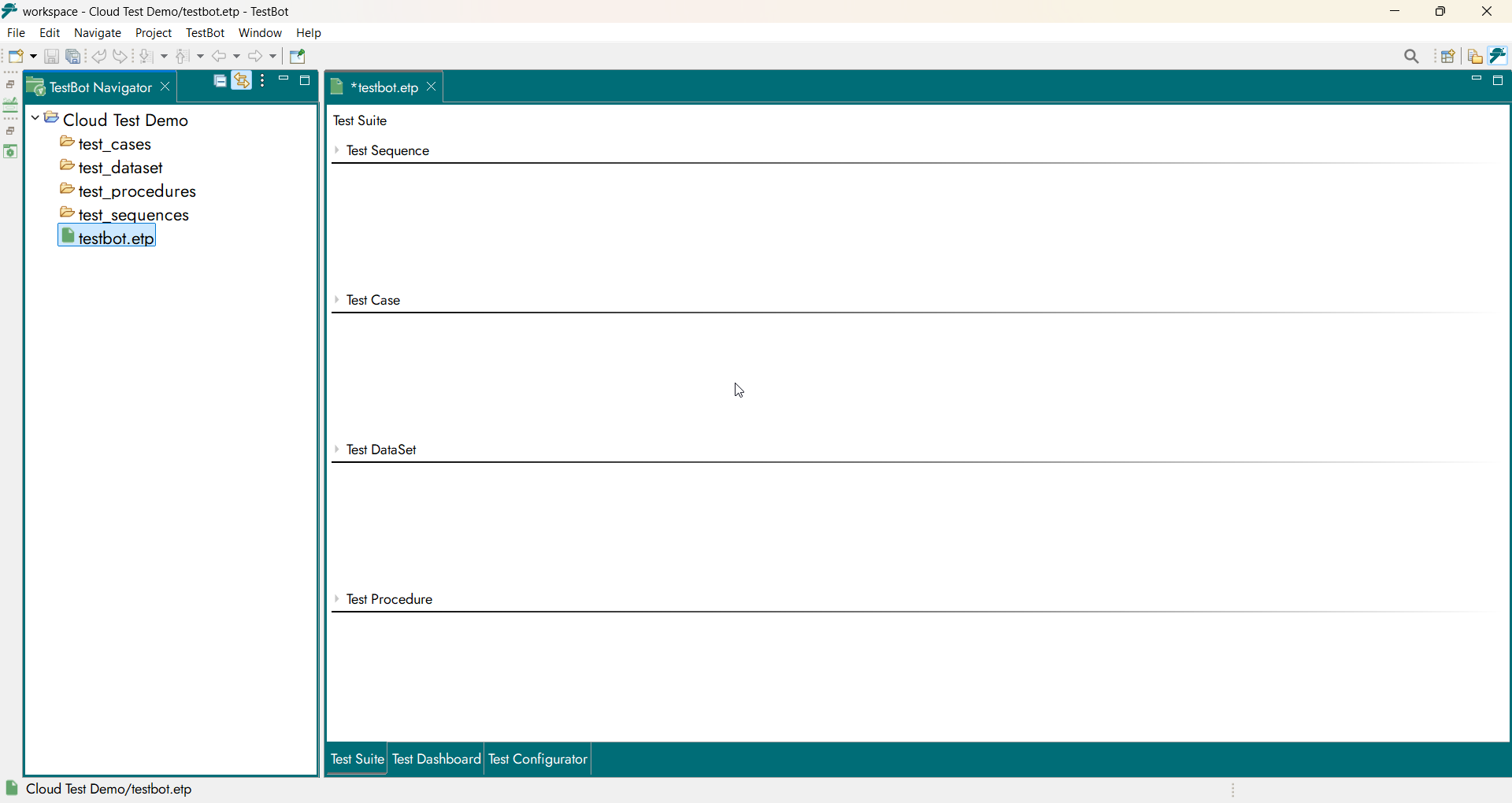
TestBot Project Editor
A test case is built progressively using the following core components:
Test Sequence
Test Case
Test Procedure
Test DataSet
Each component plays a distinct role in defining what is tested, how it is tested, with what DataSet, and in what execution sequence.
Test Sequence
A Test Sequence defines the complete execution flow of a scenario. It represents an end-to-end functional journey composed of one or more Test Cases arranged in a defined execution order.
Using the TestBot Project Editor, users begin test creation by adding a Test Sequence. The Test Sequence acts as the top-level execution container and determines how individual test steps are sequenced and executed.
Typical examples include:
Login Flow
Functional Validation Flow
End-to-End Test
The Test Engine always initiates execution at the Test Sequence level.
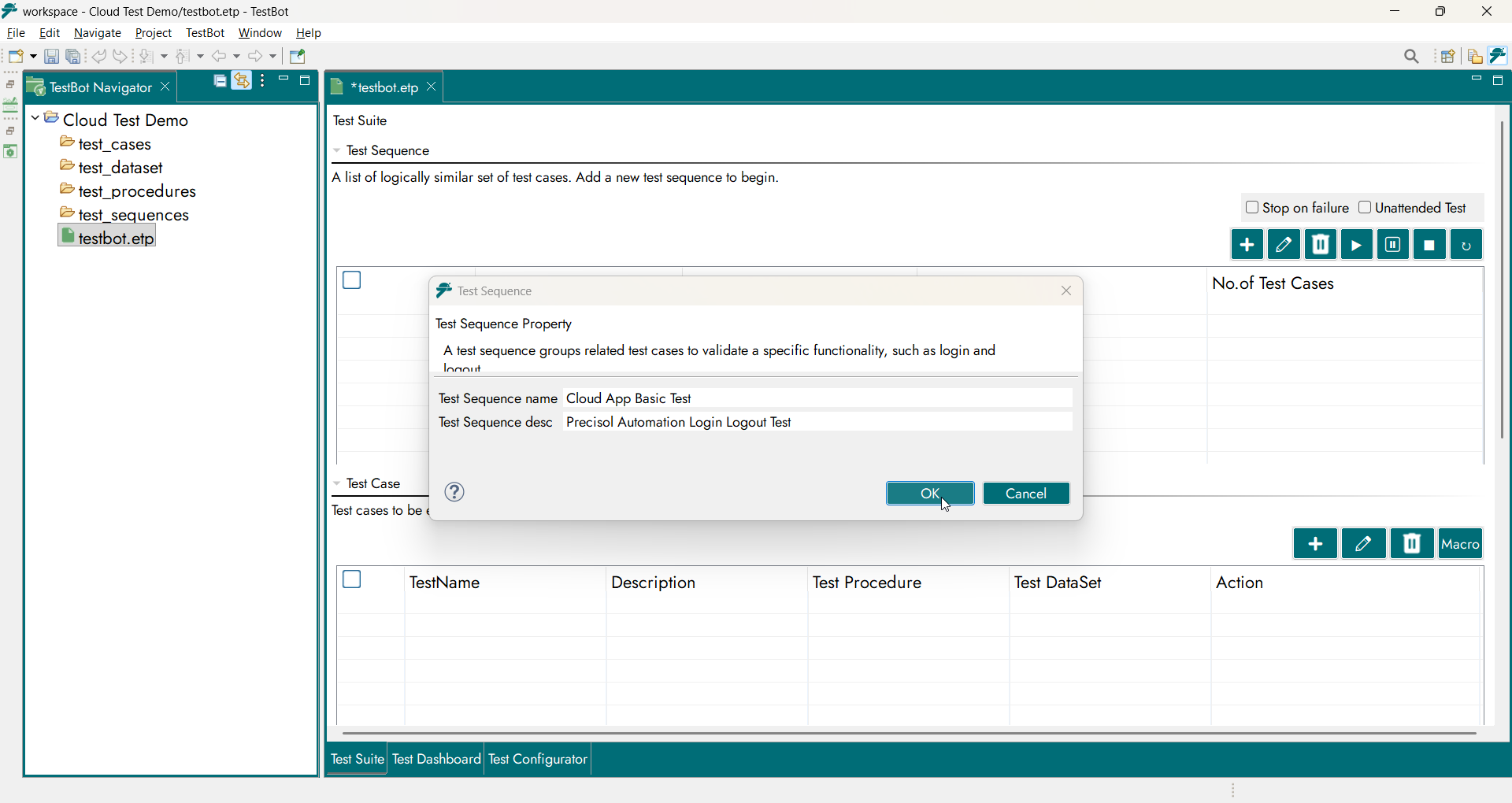
Test Sequence overview
Test Case
A Test Case represents an executable unit within a Test Sequence. Each Test Case links a Test Procedure with its corresponding Test DataSet and generates an individual execution result.
From the Project Editor, users add Test Cases inside a Test Sequence. While creating a Test Case, users select the Procedure Type:
Standard Procedure
User-Defined Procedure
This selection determines how the Test Procedure and Test DataSet are created and associated.
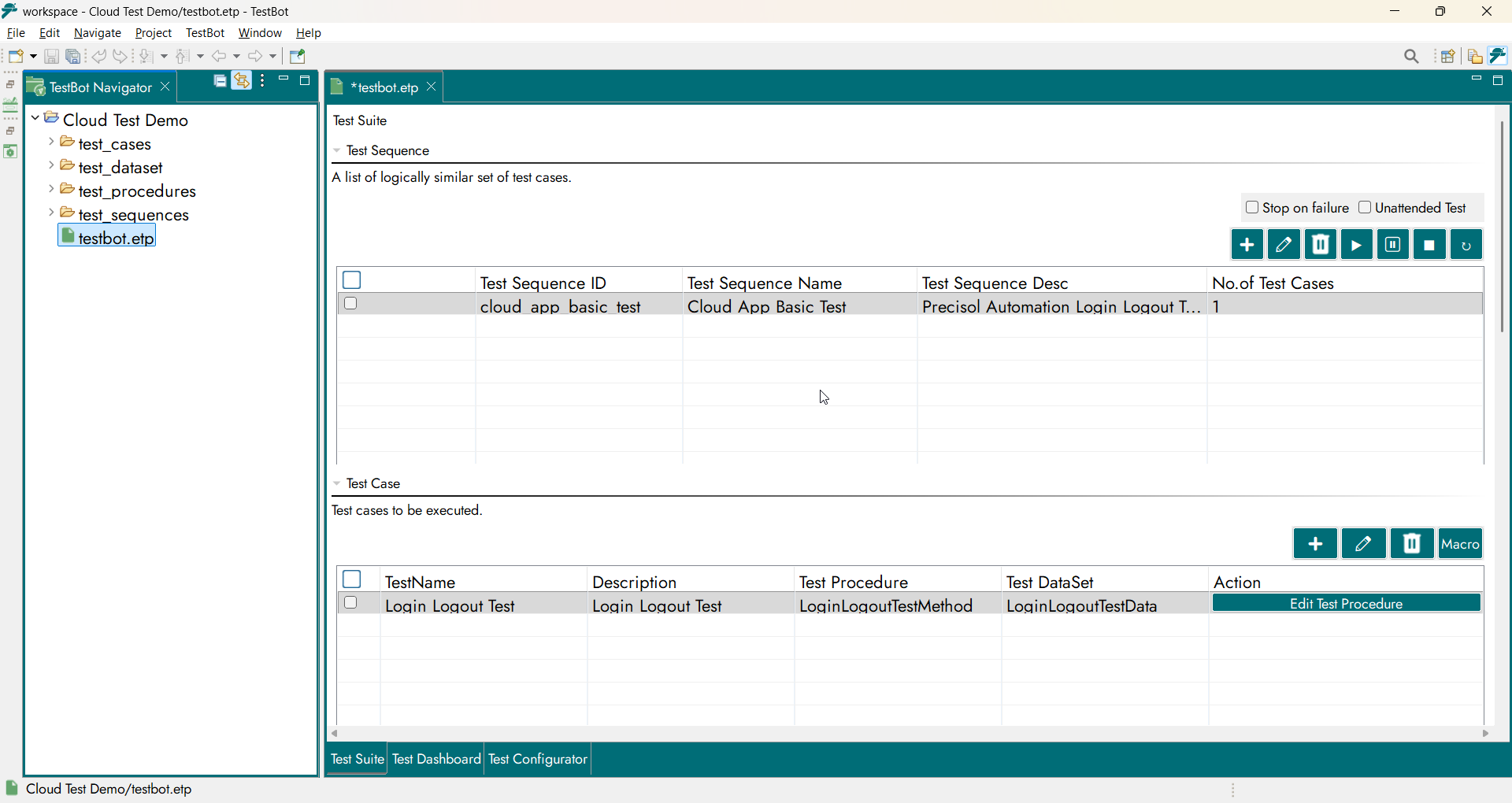
Test Case creation
Standard Procedures
Standard Procedures are predefined, reusable workflows provided by TestBot for commonly required test operations across supported Agents.
When a Standard Procedure is selected:
The Test Procedure file is automatically created
The required Test DataSet file is automatically generated
The Procedure and Test DataSet are automatically mapped to the Test Case
Users only need to:
Provide required values
Map DataSet IDs to block inputs and outputs
This significantly accelerates test creation, ensures consistency, and reduces configuration effort.
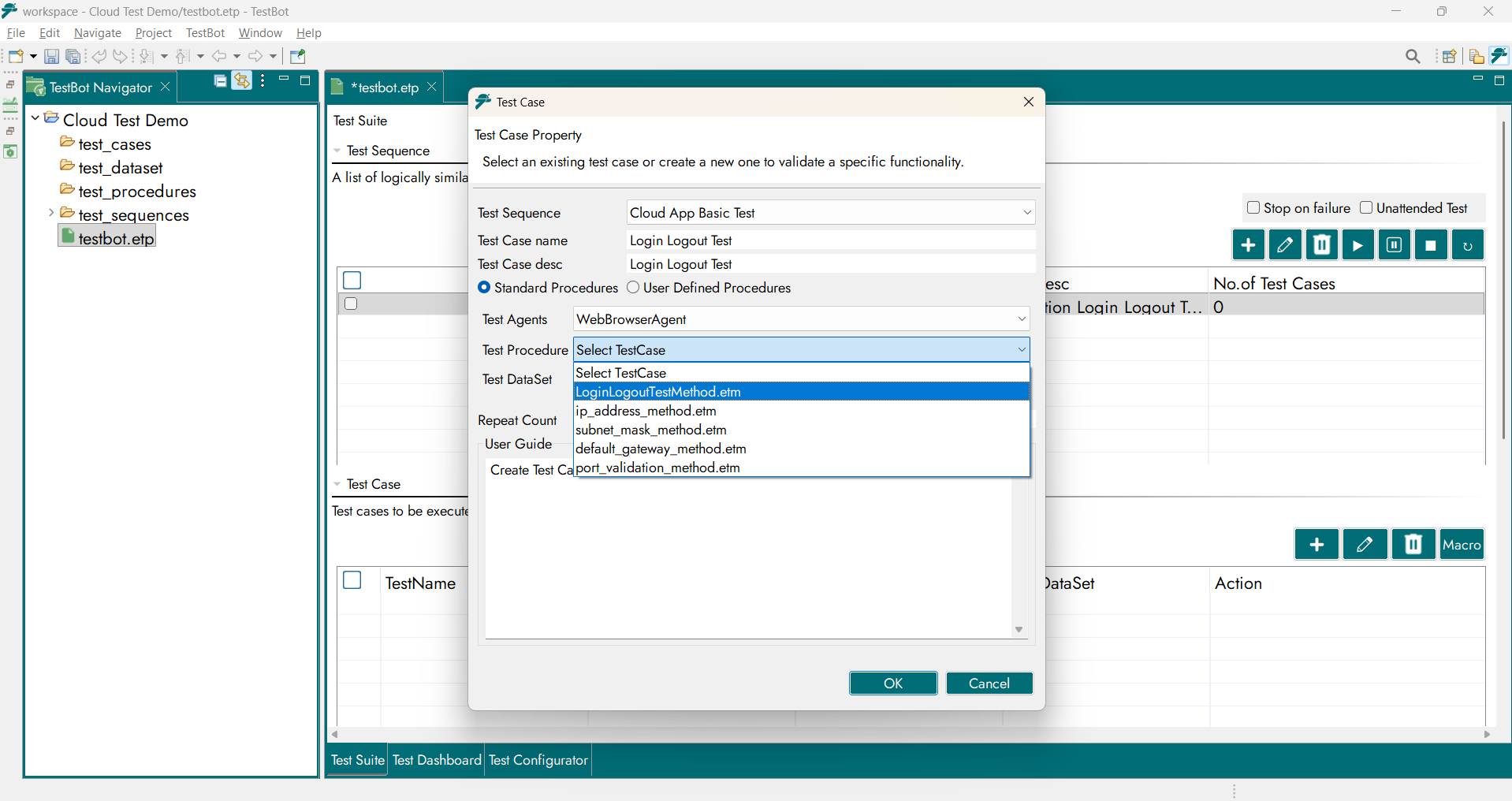
Standard Procedures
User-Defined Procedures
User-Defined Procedures enable complete customization of test logic.
When a User-Defined Procedure is selected:
The user specifies a name for the Test Procedure
The user specifies a name for the Test DataSet
TestBot automatically creates the required files
Users design the test logic using Test Blocks in the Procedure Editor
Users define and configure required DataSet variables
User-Defined Procedures are ideal for complex, application-specific, or specialized testing needs.
In short, once the Procedure type is selected and names are provided, TestBot automatically creates and organizes the Procedure and DataSet files for execution.
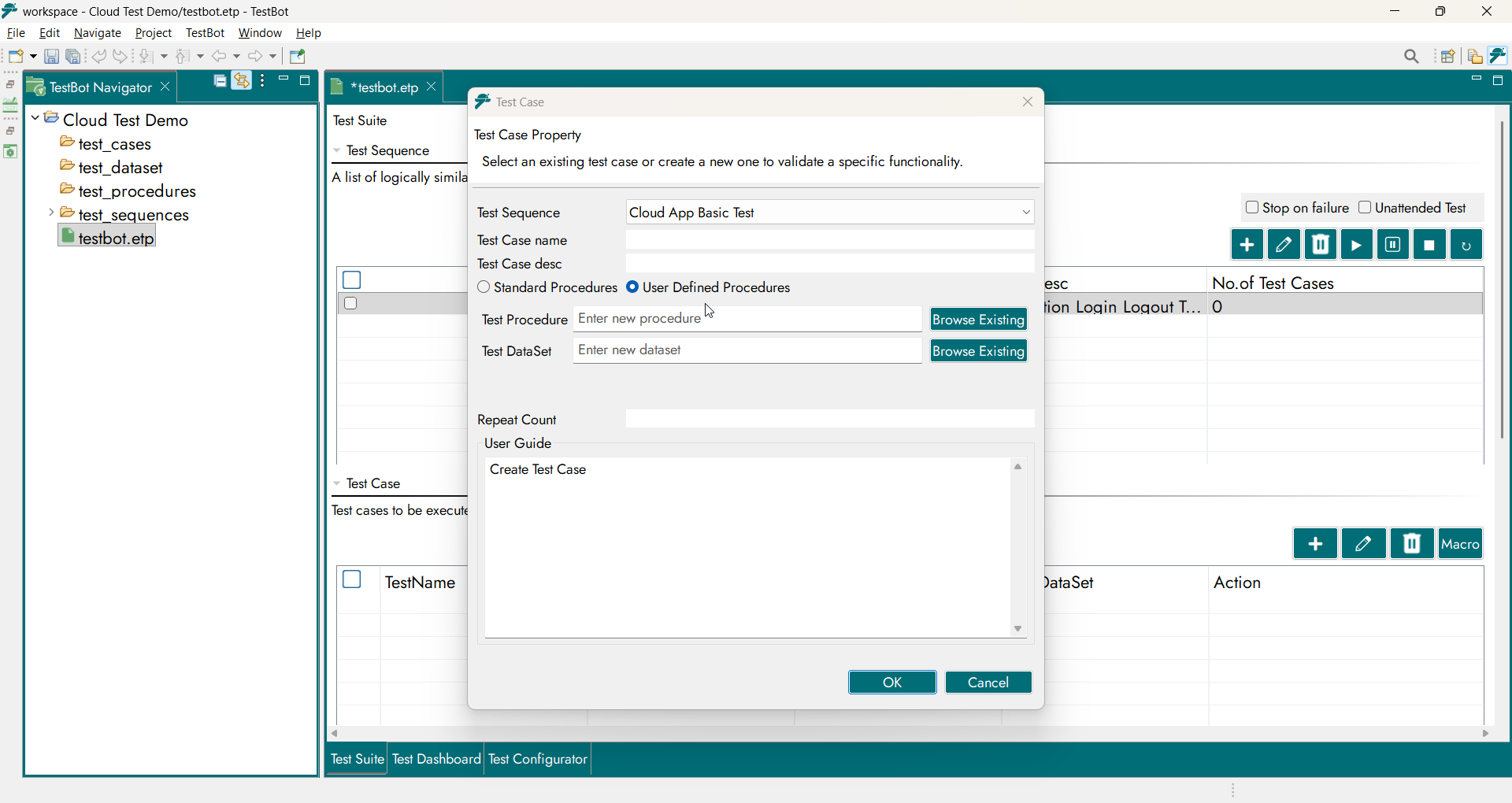
User-Defined Procedures
Test Procedure
A Test Procedure defines the logical behavior of the test. It consists of Test Steps and Functional Blocks provided by TestBot Agents, describing how the test is executed.
In the Project Editor, the graphical Procedure Canvas is displayed in non-editable preview mode.
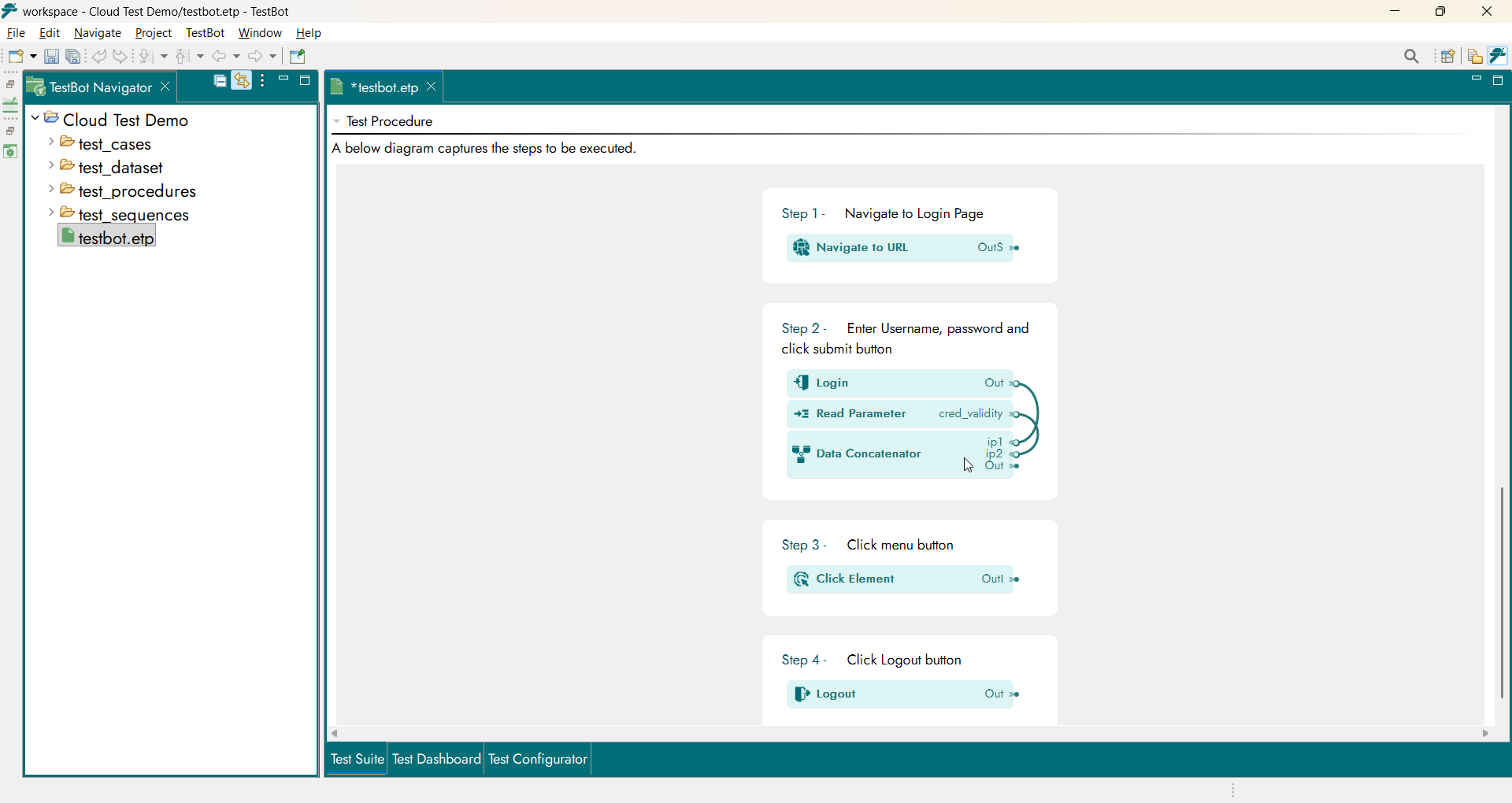
Procedure Editor canvas
Selecting “Edit Test Procedure” opens the Procedure in the Procedure Editor, where users can perform the following actions:
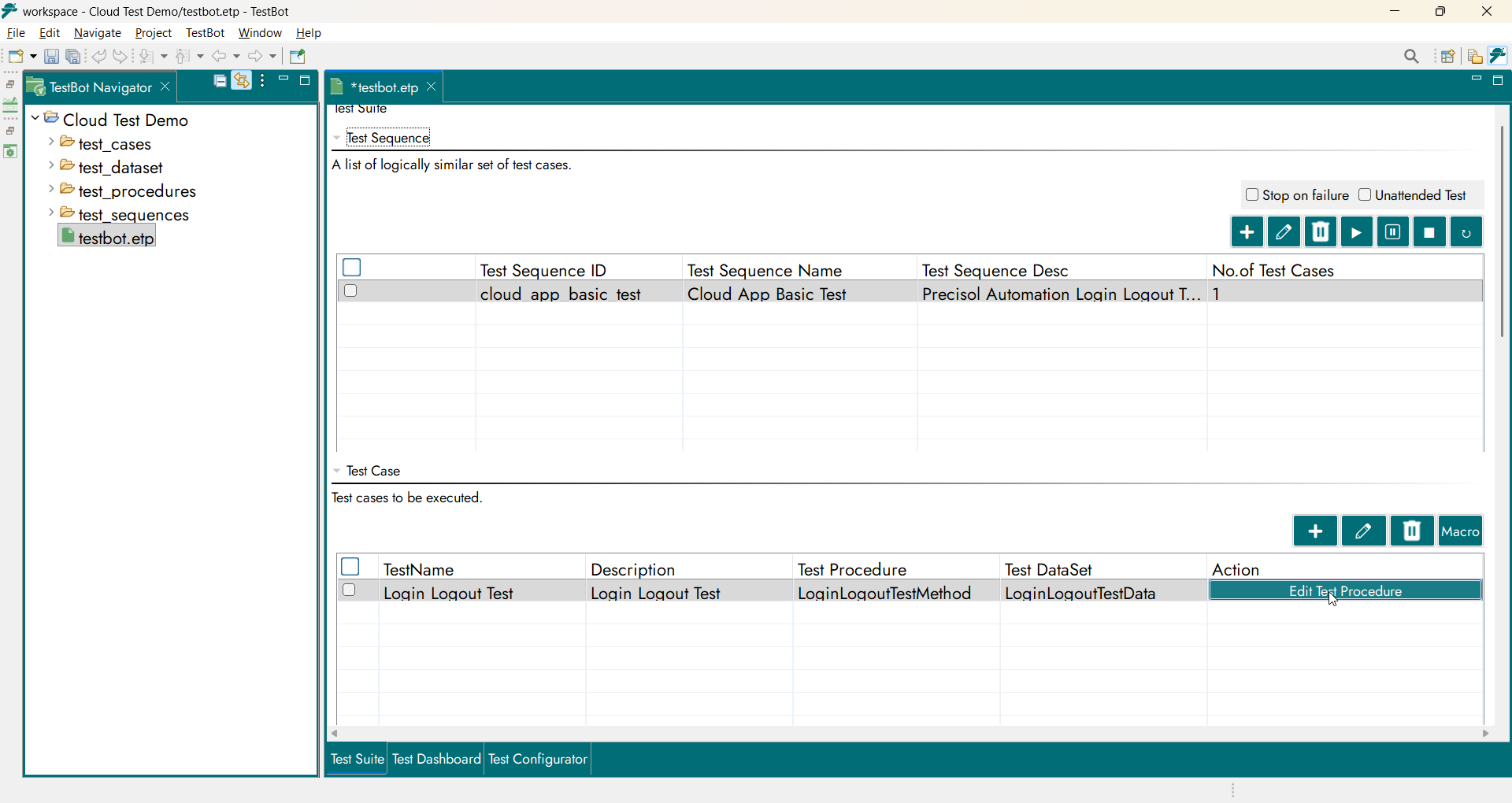
Edit Test Procedure
Modify the test logic by adding, removing, or rearranging blocks
Configure properties for each functional block
Map DataSet variables to block inputs and outputs
Define test inputs
Configure expected and observed results
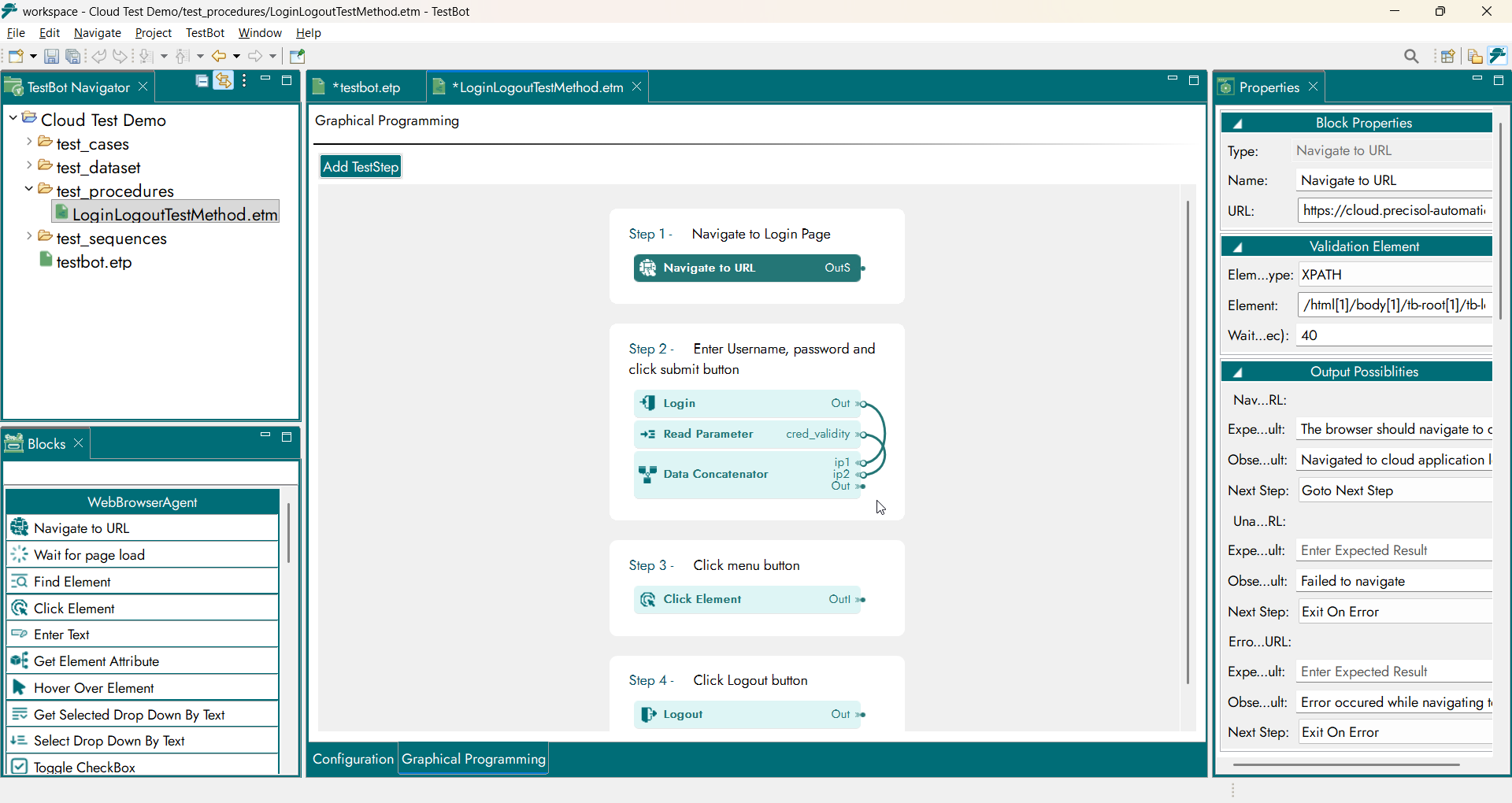
Test Procedure Graphical Programming
Note: Test Procedures can also be created directly from the test_procerdures folder in the Project Explorer. The Project Editor offers guided creation, while folder-based creation supports advanced workflows.
Test DataSet
Test DataSet contains structured input values required during execution. It defines what DataSet is supplied when a Test Procedure runs.
In the Project Editor Test DataSet Table:
Columns represent Data Variables
Rows represent Data Records for iterative execution
Test DataSet typically include:
Protocol parameters
Credentials
Input values
Expected validation values
Note: Test DataSet can also be created and managed from the DataSet folder in the Project Explorer.
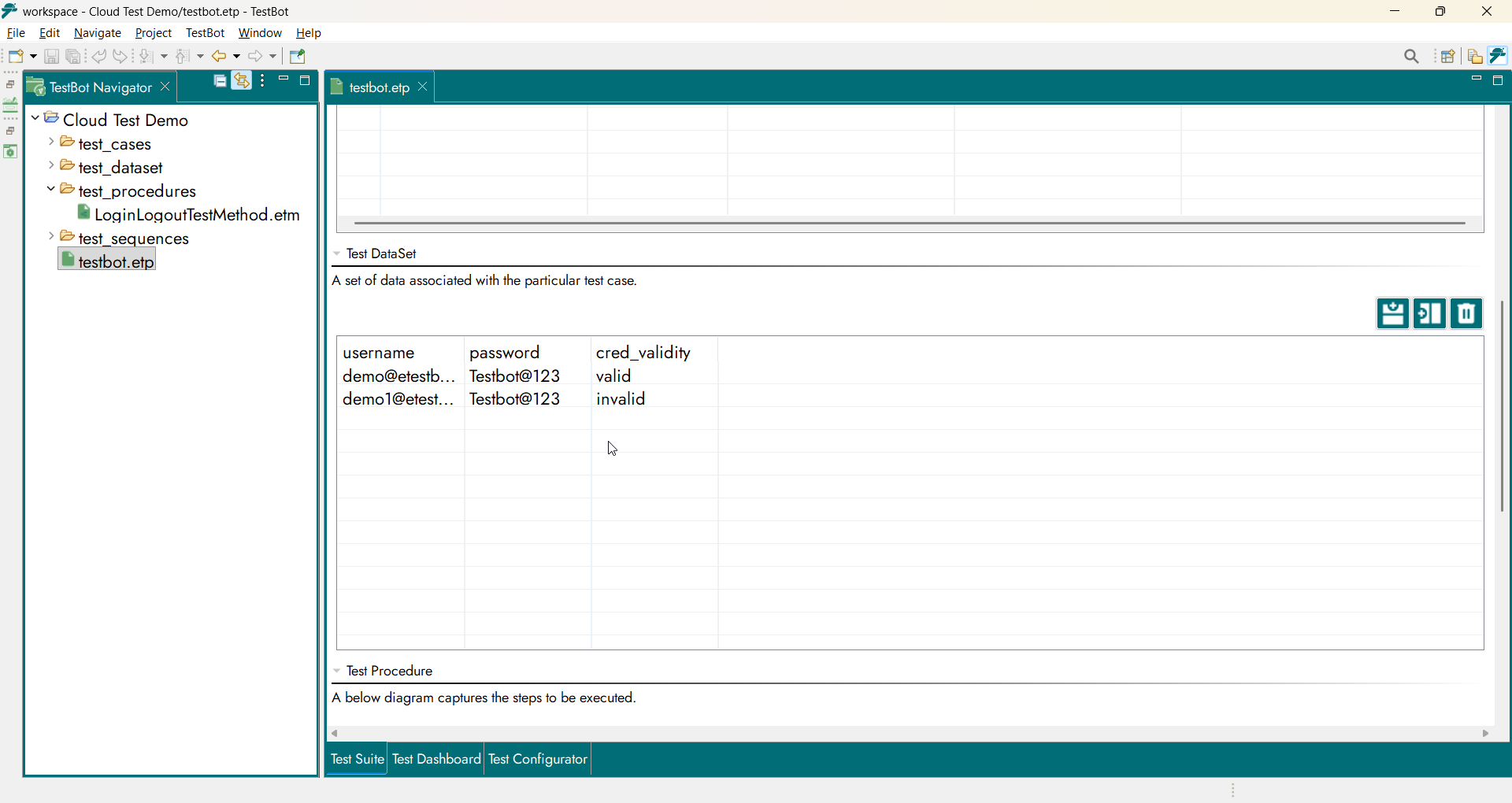
Test DataSet table