Test Case Execution
Test execution in TestBot is driven from the Project Editor.
Users can:
Select one or more Test Sets and execute them together
Execute selected Test Items within a Test Set

Test case execution options
Upon clicking Run, execution begins, and the Test Dashboard opens.

Test execution dashboard
During execution, the dashboard provides:
Live execution status
Estimated execution time
Agent availability and status
Pass / Fail statistics
Execution progress indicators
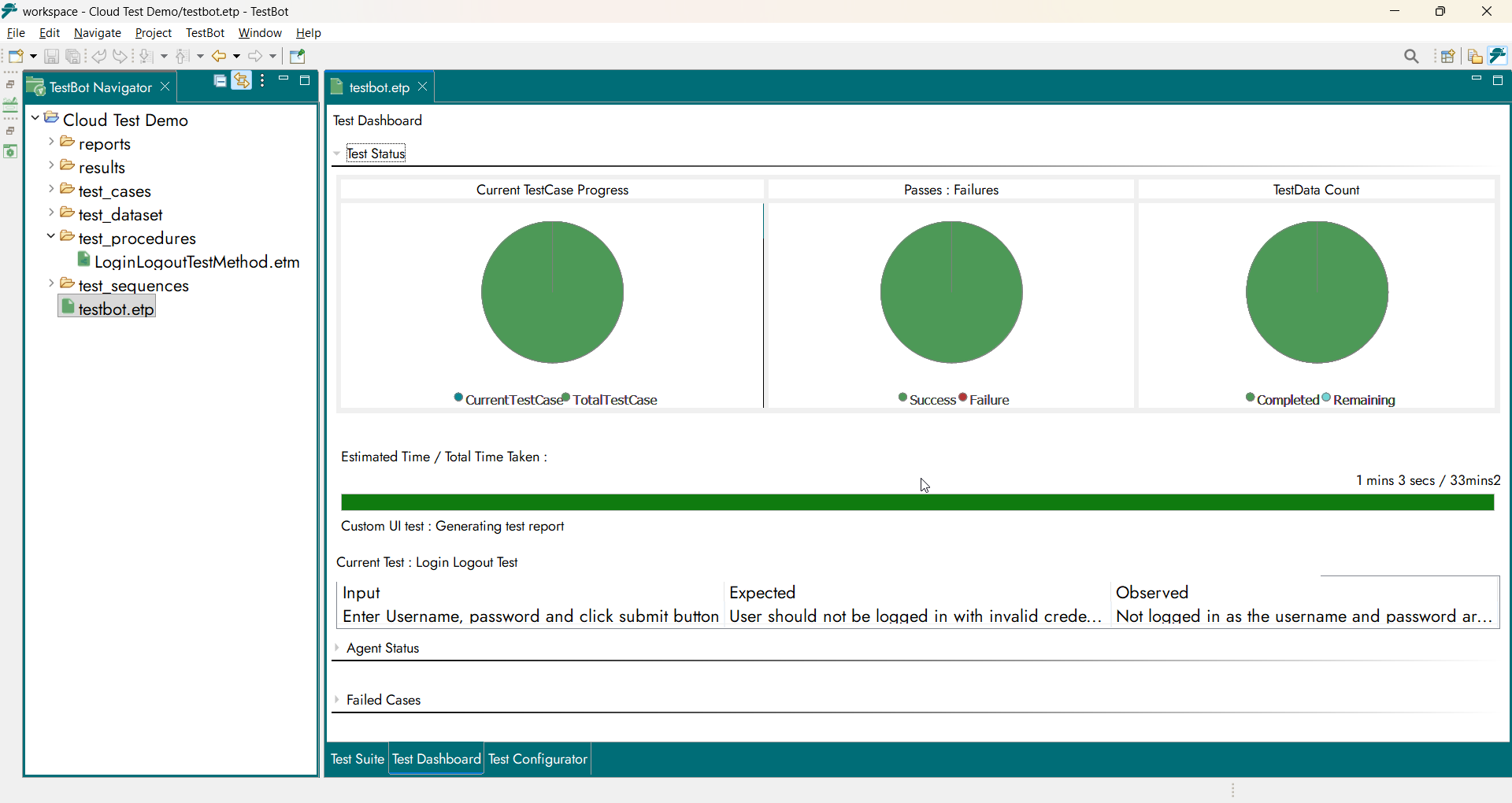
Execution metrics and status
Once execution completes:
Results are consolidated
Reports are automatically generated
The execution engine ensures reliable, repeatable, and structured test execution with complete visibility and traceability.